For Tour Managers
Build the running order, sections, timings and notes. Add the artist logo. Print a clean page before doors.
 Early Access
Professional Setlists For Touring Crews
Build tonight’s running order. Plan every guitar, tuning, capo, pack and stand change. Print a page the whole crew can read—or run it live from stage left.
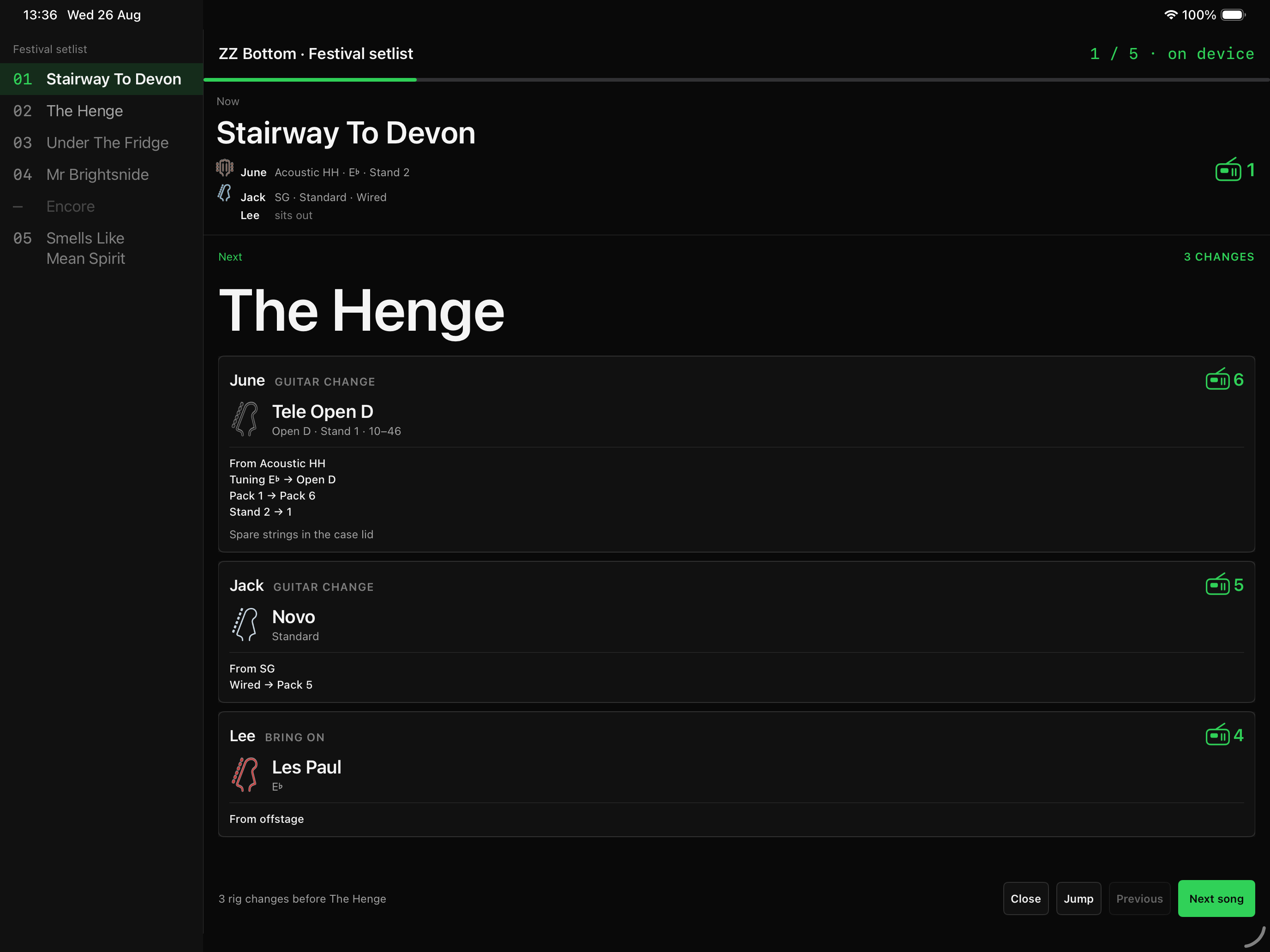
Build the running order, sections, timings and notes. Add the artist logo. Print a clean page before doors.
Assign every rig per song, catch conflicts before line check and see the next change before it happens.
One Deliberate Workflow
Setlist Designer follows the order the work actually happens. No buried setup screen. No spreadsheet archaeology five minutes before doors.
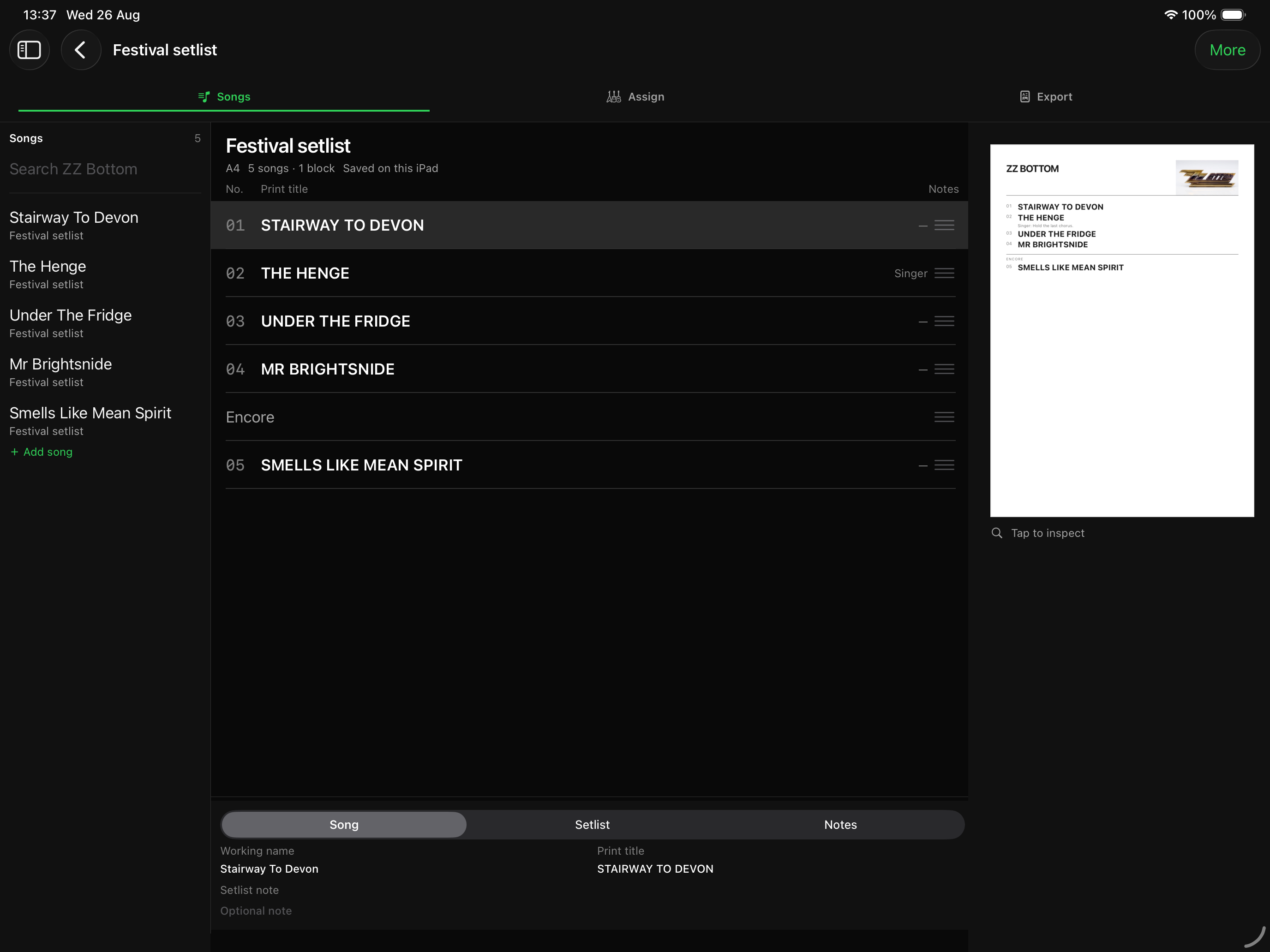
Pull from the song pool, reorder in seconds, add sections, breaks and encores, then put the right note under the right song.
Assign a guitar per musician, per song. Add capo, tuning, pack and stand overrides exactly where they change.
Choose the useful columns, add the artist logo, preview the result, then print or save a sharp, uniform PDF.
The Setlist Builder
Working names stay useful backstage while print titles keep the page clean. Section dividers never steal song numbers. Notes stay attached to the cue they belong to.
Built For Guitar Techs
The guitar sheet is not an afterthought. It knows the difference between a default rig, tonight’s override and a one-song exception.
Make, model, nickname, finish, photos, tuning, gauge, serial, bridge, default pack and stand slot.
Keep the normal pack with the guitar, then override it for the exact song where the plan changes.
Duplicate guitar, duplicate pack and missing-assignment warnings appear while planning and again in Show Mode.
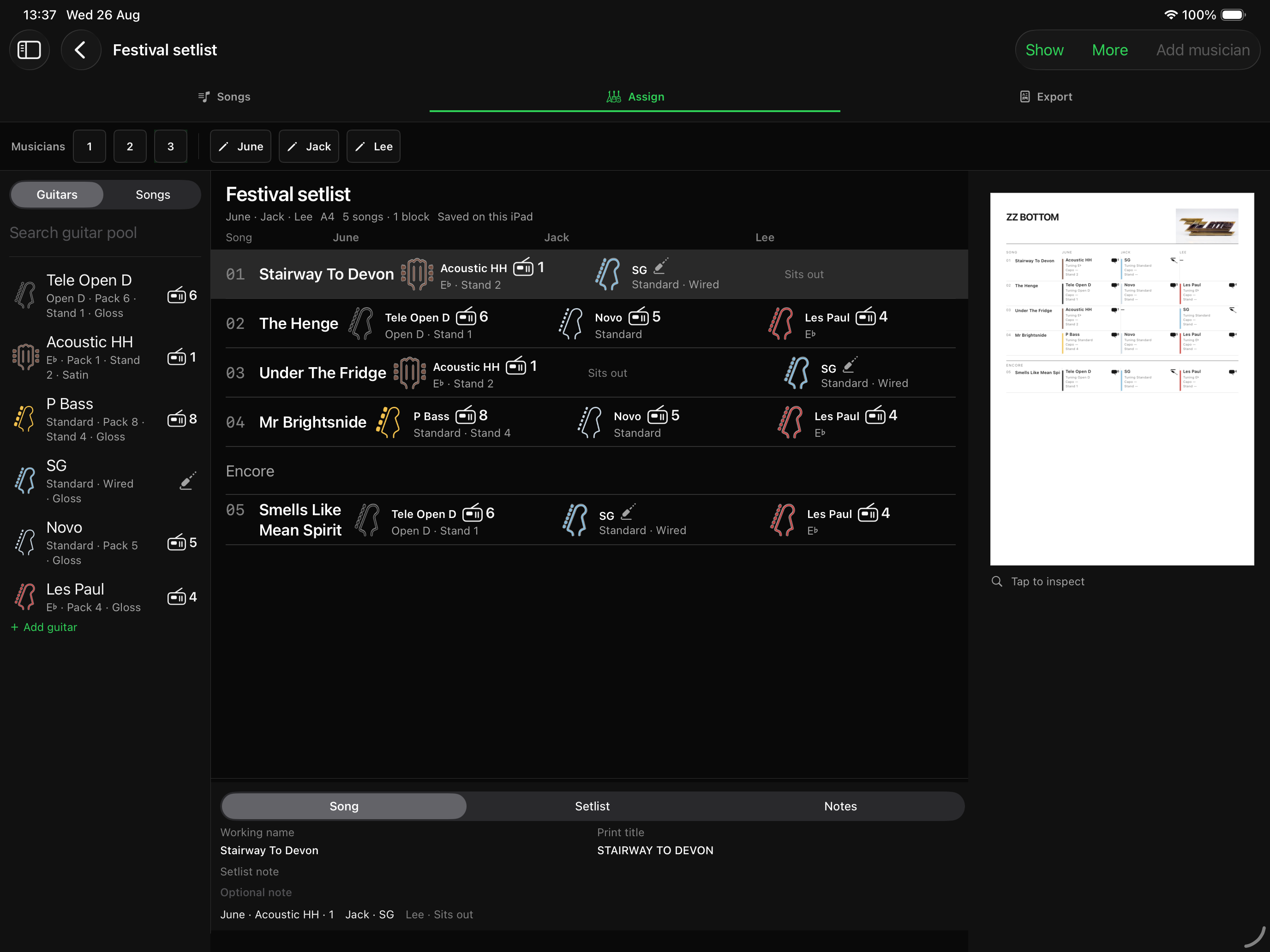
Current rig, next rig and only the actions that change—large enough to read under pressure.
Show Mode
Not a static setlist. Not a cramped export. Show Mode compares the live rig with the next song and turns the difference into a clear action list.
Rich, Branded Exports
The same plan drives Show Mode and the paper backup, so the live cue and the printed sheet do not quietly drift apart.
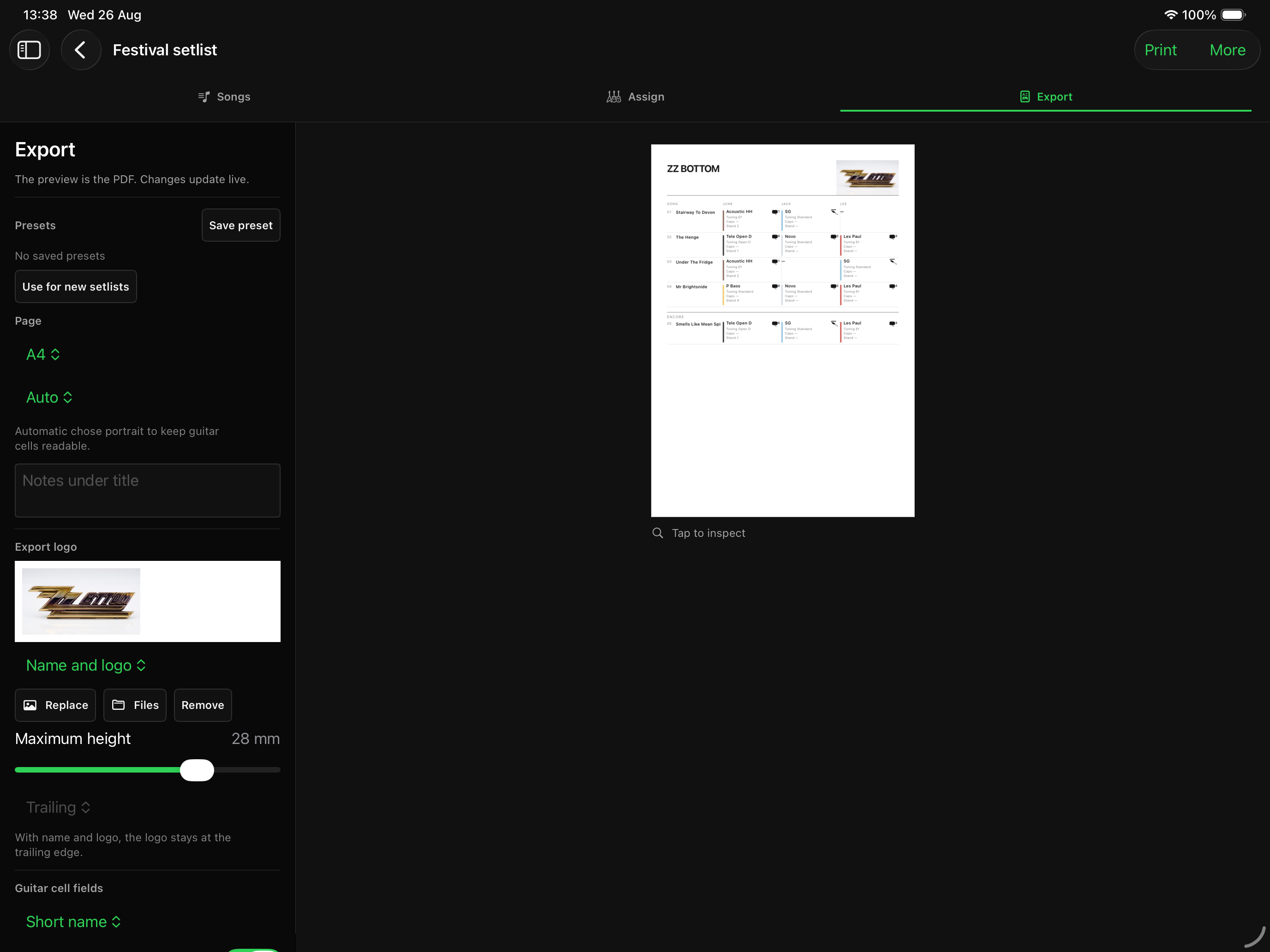
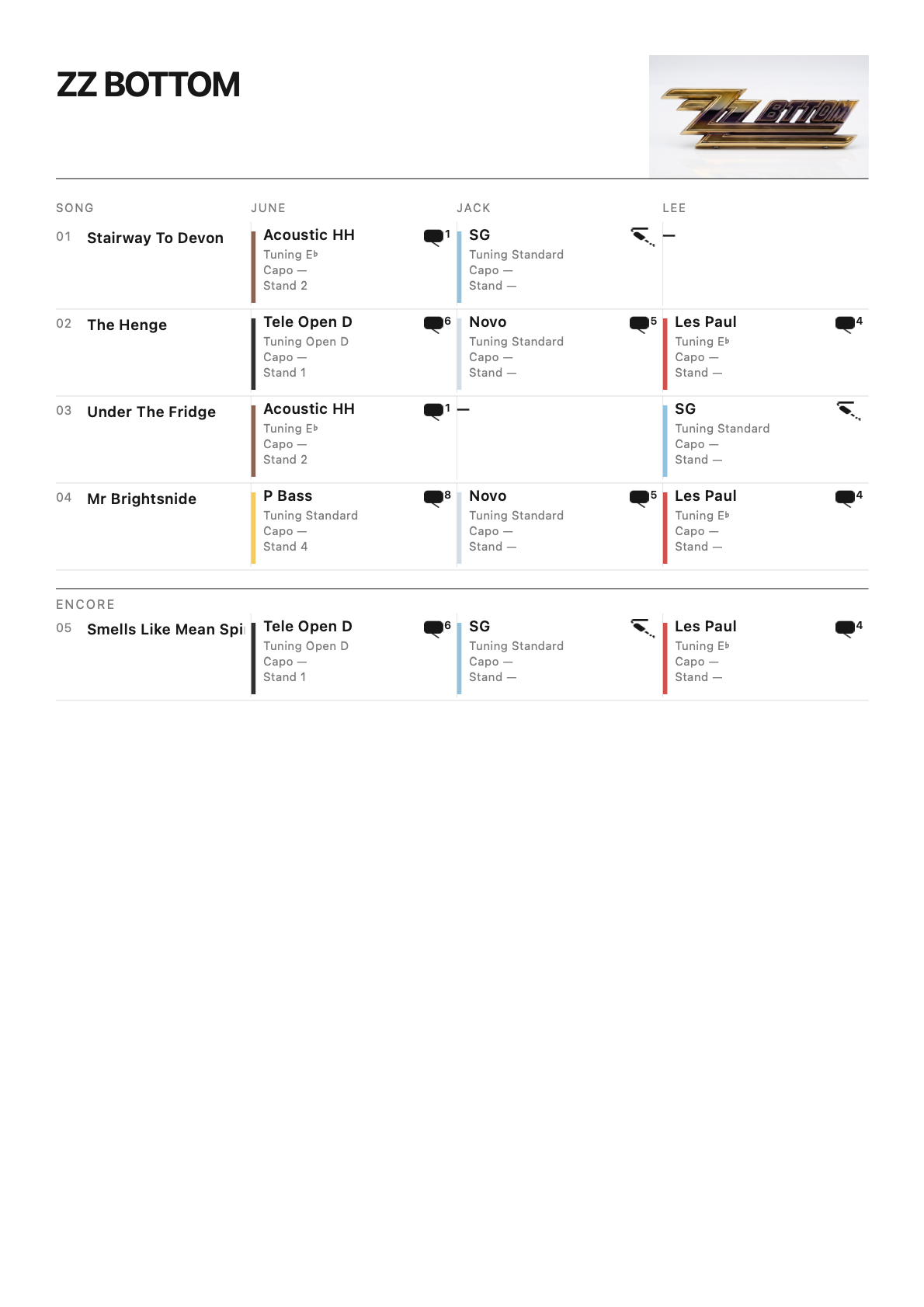
Keep the same column and header treatment across a whole tour.
Use the artist name, a round logo, or both—plus a version line under the header.
Print per-song details when the crew needs them. Keep private guitar notes out of the export.
Preview before output, with readable type and columns that stay aligned from top to bottom.
Private By Design
No analytics. No ads. No tracking. No servers. Your setlists, guitar photos and notes stay on your devices and sync through your own private iCloud database.
Setlist Designer
Professional setlists for tour managers and guitar techs—on iPhone, iPad and Mac.
Ask About Early Access